
Visual AI workflows
Chain models on a canvas. Rerun the whole graph.
Drop nodes, connect them, and turn one prompt into a repeatable pipeline — image, video, or mixed steps you can open and tweak anytime.
Canvases are a node-based workspace: each node is a step (generate an image, upscale, swap a face, send output to the next node). You wire them together instead of copy-pasting between chats. When something works, save the canvas and hit Run again with a new prompt or reference — the graph stays the same, the results stay on-brand. It is built for people who want structure without losing creative control.
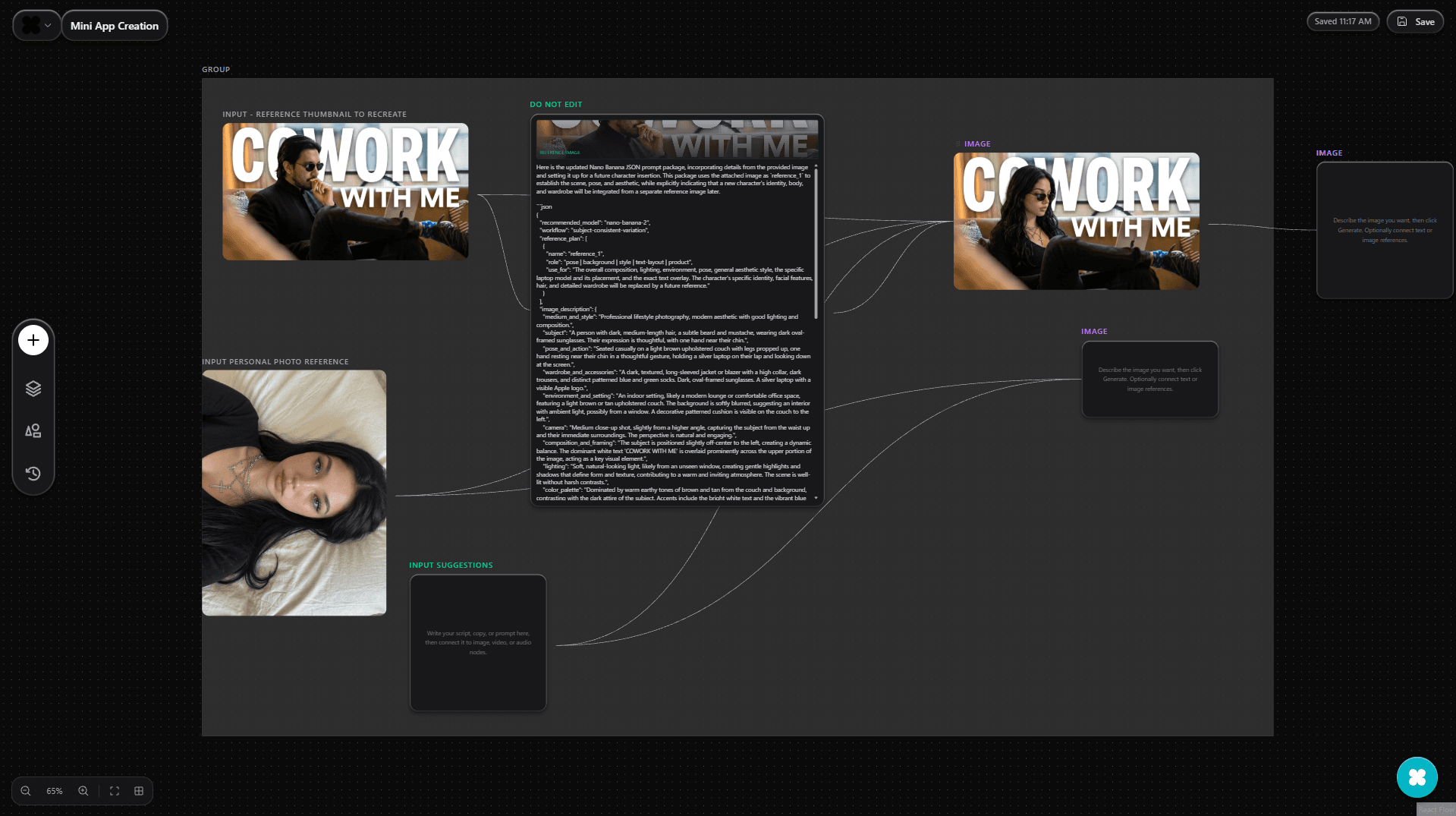
How canvases work
What is a node-based AI canvas?
How is a canvas different from chat?
Can I reuse a canvas as a template?
What kinds of steps can I chain?
Do I need to be technical to use it?
How does this fit with Automations or Autopost?
What people build on canvases
- Batch product visualsOne graph: prompt → image → brand-consistent edits → export. Rerun for every SKU without rebuilding the flow.
- Storyboard to clipChain stills, motion, and lip sync in order so each shot feeds the next — review the graph before you render long video.
- Shareable recipesSave a canvas as your house style: same nodes, same models, new prompts when the campaign changes.
- Iterate without losing contextOpen any node, adjust settings, and rerun downstream steps only — no hunting through chat history for the right message.
Canvases vs chat vs one-off tools
| Criteria | UniCan canvases | Chat only | Single-purpose apps |
|---|---|---|---|
| See the full pipeline | Graph view: every step and dependency visible | Linear thread; hard to see structure | One task per app; manual handoff between tools |
| Rerun with new inputs | Same graph, new prompt or refs in one place | Rebuild the conversation or re-paste prompts | Start from scratch or export/import manually |
| Change one step | Edit a node, rerun what depends on it | Scroll back, hope you find the right message | Often means redoing the whole chain elsewhere |
| Best for | Repeatable creative systems and batches | Exploration and quick questions | A single task in isolation |
From blank board to a saved workflow
Start from the canvas or a preset
Open a new canvas, add your first node, and pick what it should do — generate, edit, or route to another model. Add nodes as you go; you do not need the full graph on day one.
Create accountConnect outputs to inputs
Draw connections so the image from step one feeds step two. That is how you keep character, style, or framing consistent without pasting URLs between tabs.
Explore imageSave, name, and reopen
Name your canvas, save it to your list, and come back anytime. Your graph is the template; each run can use new text, images, or settings on the same structure.
Open canvas editor
Common questions
Last updated: April 18, 2026
Build a workflow you can run again and again.
Create a free account, open the canvas, and wire your first pipeline in minutes.